Remote support
To receive remote support, you need to download RustDesk.
- Download x86_64 (Windows 10 and later)
- Download x86 (Windows 10 32-bit and earlier)
- Download other versions from RustDesk's GitHub
Network Configuration
Please insert the code that was provided to you to access RustDesk
| ID Server |
dummyserver.unfoxo.it |
| Relay Server |
dummyserver.unfoxo.it |
| API Server |
https://dummyserver.unfoxo.it |
| Key |
gubf90Og5go7n0n5AfXyzB0H6vBD8Q3+1Ui+pXhXxvk= |
Server setup
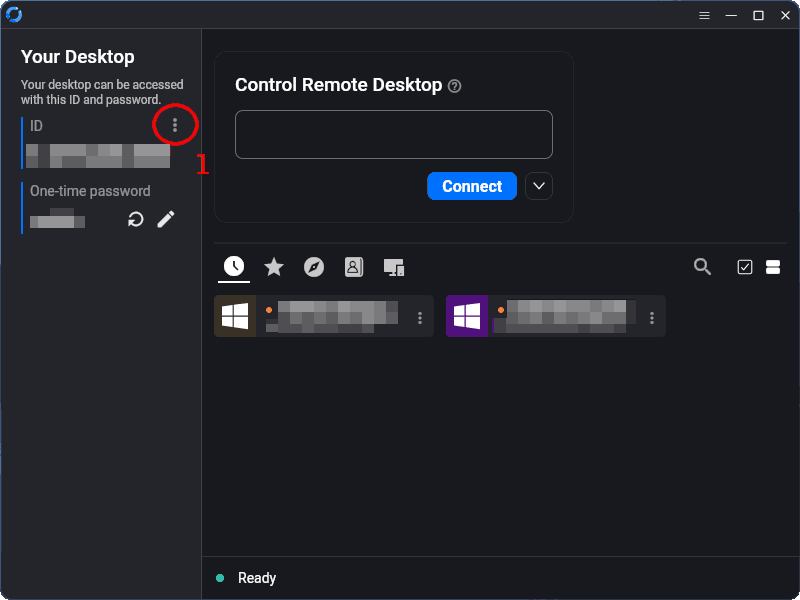
Press on the three dots (1) to open RustDesk settings.
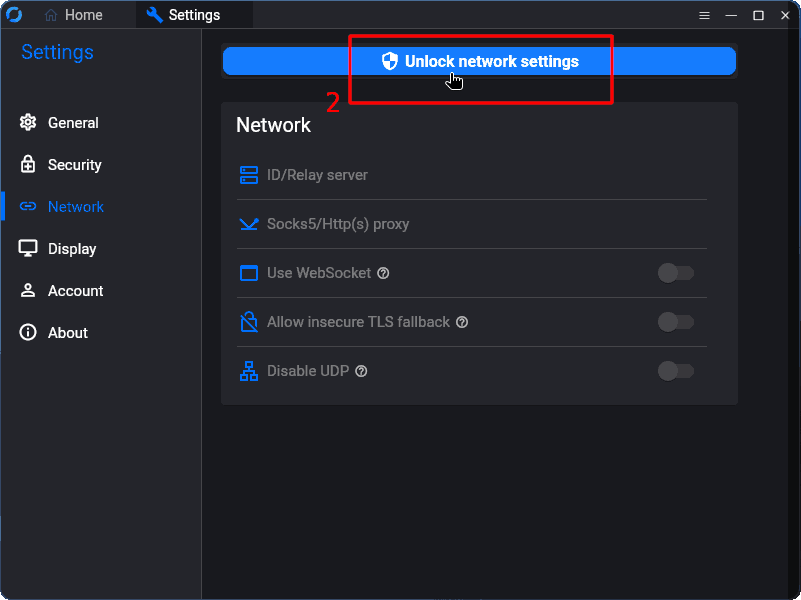
Press on "Unlock network settings" (2) to unlock the settings.
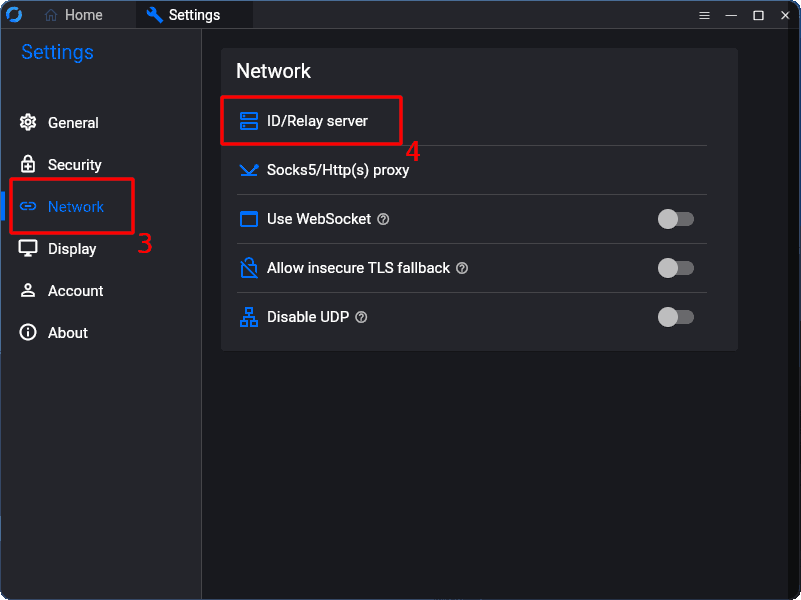
Press on "Network" (3) on the sidebar to open Network settings, then press on "ID/Relay server" (4).
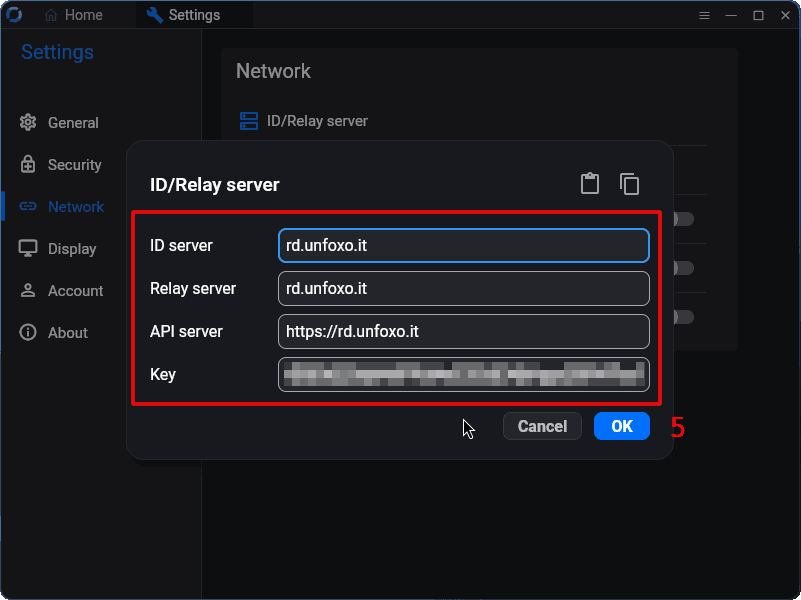
Set the server details according to the table at the top of this page.
If the setup completes succesfully, "Ready" should appear on the bottom of the window.